

How to increase the SIP amount in HDFC Mutual Fund?
Did you start your Mutual Fund SIP ten years ago and forget about it, but now you want to increase your SIP amount and are curious about how to do it online?
These days we have an app for every small thing then how can Asset Management Companies will be behind.
So, without wasting much time let’s check how we can change SIP amount in HDFC mutual fund, steps will be more or less similar for other mutual funds.
- Step 1: Install Mutual Fund app from App Store/Playstore in your mobile.
- Step 2: Login with your registered mobile number.
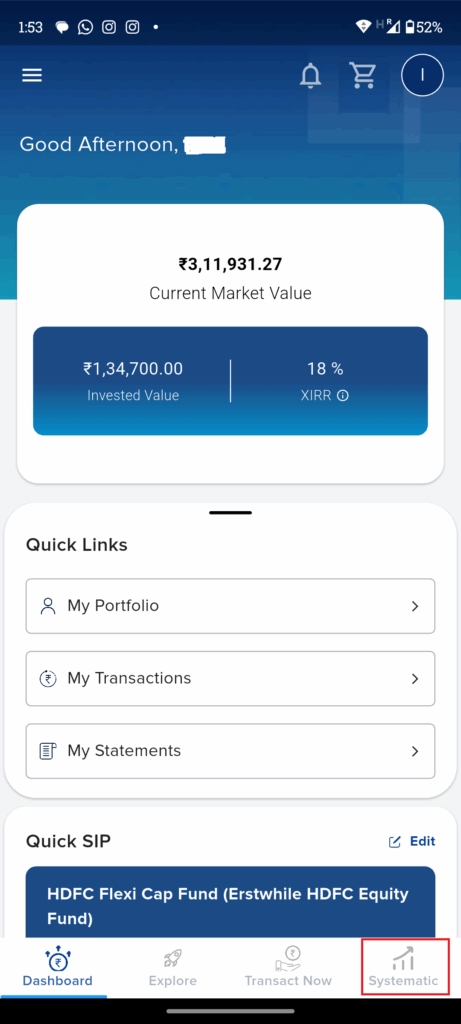
- Step 3: Go to Systematic tab available at the bottom.
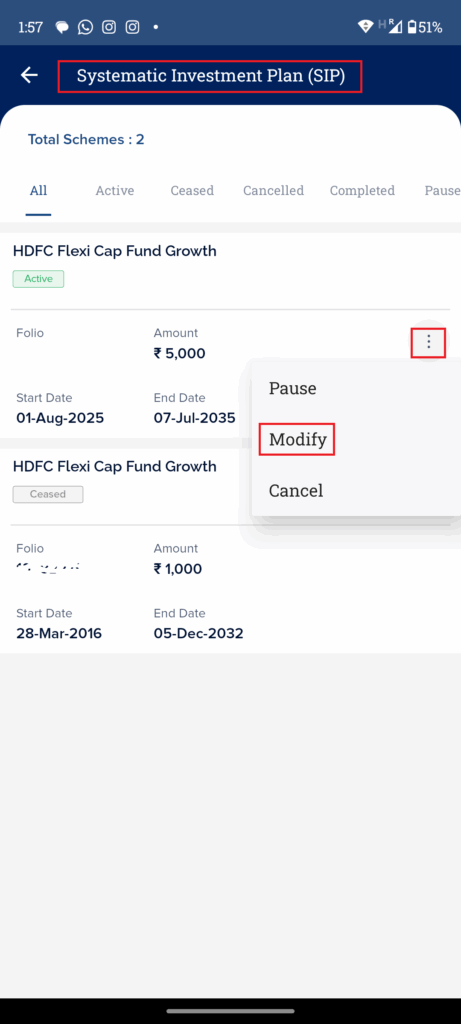
- Step 4: Click on Systematic Investment Plan(SIP) and then on three dots of the active SIP which you want to modify and click on modify.
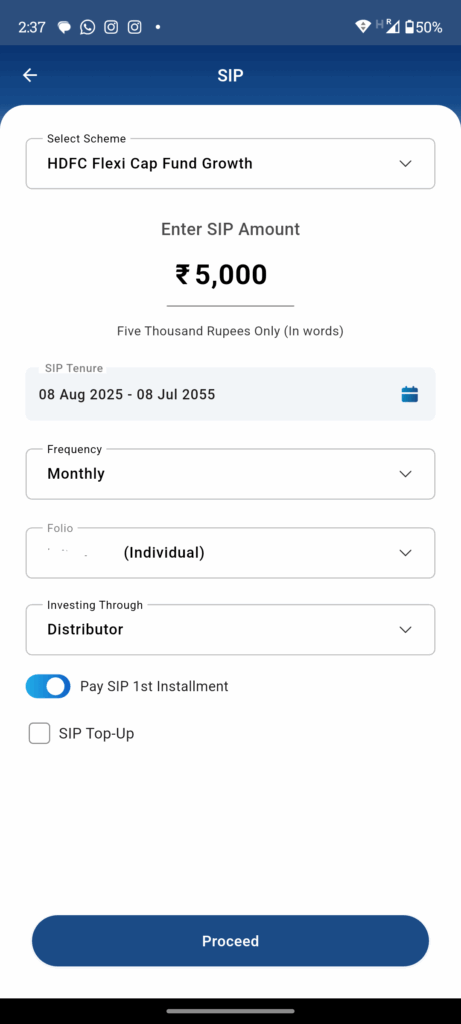
- Step 5: Enter the new SIP amount, adjust SIP Tenure if requried and click on proceed.
- Step 6: Update the payment instructions using UPI to complete the transaction.
That’s it!!! Your new SIP amount will now updated as per the dates provided by you. Your existing SIP will be closed and new SIP will be started.
In my case I have modified my SIP amount from 1000 INR to 5000 INR.
You will get confirmation email from your AMC(Mutual fund provider). Read the email carefully as it will have the details of due dates and information on the closure of existing SIP.
Thanks for reading this article. I hope you this would have helped you in changing SIP amount in HDFC mutual funds.
If you are looking for any other details on the SIPs to select or the SIPs which I have opted for the please drop me a comment.
Leave a Reply